
 So how do you measure the success of a Twitter campaign? Usually you include a link in your tweet that you hope will direct potential customers to your landing page or third party page with useful information. You may think you can just check Twitter clicks by looking at Twitter referrals on Google Analytics or your preferred Web Stats app. After all, a click on a Twitter link does include a
 "Referer: http://twitter.com” line in the request header.
The first problem is that not all Twitter clients are web browsers, about half are mobile apps that won’t include the referral information.
What about Twitter links that land on third party sites? You may want customers to read a review of your service on an independent site. You won’t see those clicks.
Websites often include Twitter widgets, using the Twitter RSS feed. These clicks will appear to be from the website, not Twitter.
The bottom line is that you can’t just rely on your website stats to track Twitter campaigns.
Link Shorteners
If you send links with your Tweets, you’re probably already familiar with link shorteners. They make links neatly fit into the 140-character limit in Twitter. But these services almost always offer link tracking and analytics as well, making them ideal tools for tracking Twitter campaigns. I’m including three services here that have some unique features that will help your digital marketing efforts.
Bit.ly
 Until Twitter came up with their own link shortener, Bit.ly was Twitter’s default and it is still the most popular service. Once you sign up for an account, you can find out who shared your links, locations of the users who accessed that link, and total number of clicks.
 Even if you don’t have an account, you can get stats of a particular link just by adding a “+” at the end of the link like this: http://bitly.com/m3FDlQ+

Unique features:
- Creates QR codes for your links
- Allows creation of custom shortened domain names. for example if your domain is newyorktimes.com, you get use “nyti.ms” instead of bit.ly as the shortened domain.
Hootsuite
 Hootsuite provides a whole suite of services, one of which is domain name shortening and analytics. You can recognize the shortened links as Ow.ly or Ht.ly. This tool lets you manage multiple Twitter accounts, schedule tweets and monitor results. You can also manage Facebook and LinkedIn accounts.

Unique features
- Twitter Scheduling – Rather than sending multiple posts at once, you can schedule them throughout the day or week. This is convenient for both you and your followers.
- Auto Posting – automatically send your posts to ping.fm which can in turn post to multiple other social networks, thus keeping all your posts in sync.
Visibli
 Visibli is a link shortener that also has some impressive statics information available for both Twitter and Facebook page links.

Unique features
- The Engagement Bar – This is a nice feature that helps users stay on your page after you provide an external link. You can create a small bar across the the top of the page so when you tweet an external link, your URL and RSS feed is still displayed. It’s probably best just look at an example – notice the bar at the top:
- A Study of Fan Engagement on Facebook Pages by Visibli
Summary
One the most important aspects of a marketing campaign is measuring success. These three tools can help you monitor and document the effectiveness of your social media marketing plan.
If you are familiar with these tools or would like to suggest others, please leave a comment below.
 Along with Facebook and LinkedIn, Twitter is one of the top three platforms in Social Media Marketing. As a marketing platform, Twitter has experienced phenomenal growth. But as a small business, you may wonder how you can take advantage.
  If you intend to use Twitter for both business and personal communication, it’s a good idea to create separate accounts. This requires separate email accounts, one for each Twitter account. If you are using gmail, and your account has period in it, you can simply adjust its position. For example, if your account is
  For your business Twitter account, you need get a few hundred followers to appear credible. At first, quantity is better than quality. The best way to get followers, is to follow others in your industry. If they don’t follow you back after a couple days unfollow them. A service like
  With the rise of Social Media and Mobile Marketing, email may seem a bit like yesterday’s technology. As much as people are attracted to the latest thing, old-fashioned
  Most people have a preview pane turned on by default in their email app. This means the first part of your email, which is displayed there, plays a crucial role in the decision whether or not to open. This is where you want to build on the content of the Subject line. Fill it in with the core points of your marketing campaign, listing your best offer or key benefits.
 Be consistent with formatting and tone. You want your customers to immediately recognize your style and brand. Set up a unique template that defines your business. This makes it easier to create future campaigns and markets your brand.
 No one wants unsolicited email, and annoyed customers are worse than no customers. So It’s important that you only include those who have opted-in, via a signup sheet or a click through.
 Using video to promote your business once meant hiring a local production company, giving them a few days edit and finally, produce some media for your website or event. These days, with Social Media Marketing taking off, there are
  Socialcam
 Qik Video Connect -Owned by Skype, this app works not only on Apple and Android, but on a wide variety of other phones. The feature that really sets Qik apart, is the ability to broadcast live events. This is great if your business has contests, entertainment or sponsors a local sports team. But it also does video on demand and even has built-in editing.
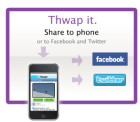 Thwapr
 If you have a small business website or a blog, it’s generally ill-advised to publish your email address because that tends to be a spam-magnet. But you still want to give your customers or prospects a way to contact you.
 What’s called for is a “Contact Us” form. It doesn’t reveal your email address. It also lets you control what type of information people give, which in turn, allows you to qualify customers and respond more effectively.
 Along with Facebook and Twitter,
  Claim your Name – Register an account in your name and register your business name. At the very least, this will prevent imposters or others with a similar name from using your brand.
 Recommendations – They are a unique feature of LinkedIn. But how do you get them? You can ask your customers, associates, or vendors. But actually, a better strategy is to write recommendations of others first. People will reciprocate.
 Find Groups to Join – LinkedIn has many special interest groups you can join including those built around specific industries and business topics. LinkedIn will recommend groups for you to join, but you may be better off looking at the profiles of your associates and competitors to see which groups they’ve joined.
 Get your Blog Promoted – If you have a blog, LinkedIn is an excellent marketing channel. There are two applications you can add which will let others see a summary of your posts right on LinkedIn. If you use WordPress,
  Try a LinkedIn Ad Campaign – It turns out that, like Facebook, LinkedIn has it’s own